|
<< Click to Display Table of Contents >> UserControlCollection |


|
UserControlCollection
|
<< Click to Display Table of Contents >> UserControlCollection |
|
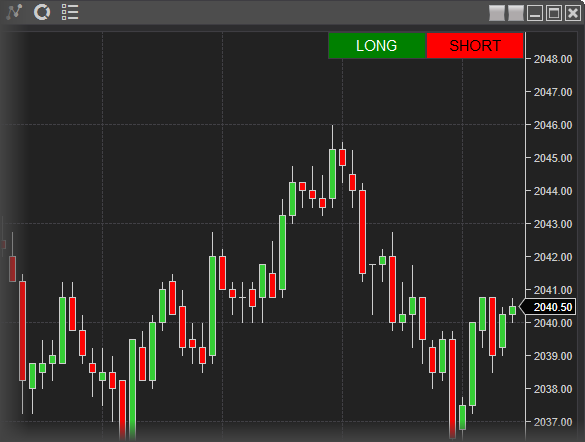
An observable collection of 3rd party framework elements, the purpose of which is to allow developers to add a custom control to the chart (e.g., add a button or create your own data grid). This framework collection resides on top of the ChartControl in order to prevent 3rd party custom controls from interfering with native NinjaTrader chart framework members. For example, if you wish to add a button to a chart, it is recommended to add it to this UserControlCollection rather than attempting to modify or add to any pre-existing NinjaTrader chart elements.
Notes: 1.This collection is provided "as-is" and does NOT contain any automatic layout options. By default, the last added framework element will reside on top of any previously added controls. This means it is possible for a user to install two NinjaScript objects which may be competing for an area of a chart. 2.Once the NinjaScript object is removed from the chart by the user, the custom control will be automatically removed from the collection. |
Warnings: 1.This property should ONLY be accessed once your NinjaScript object has reached State.Historical or later 2.You MUST use a Dispatcher in order to account for any UI threading errors. Please see the example below for proper usage 3.It is imperative that you dispose of any custom control resources in State.Terminated to ensure there are no leaks between instances of the object |
ObservableCollection<System.Windows.FrameworkElement>
UserControlCollection[int idx]
private System.Windows.Controls.Button myBuyButton; |