|
<< Click to Display Table of Contents >> AI Strategy Builder Beta |


|
AI Strategy Builder Beta
|
<< Click to Display Table of Contents >> AI Strategy Builder Beta |
|
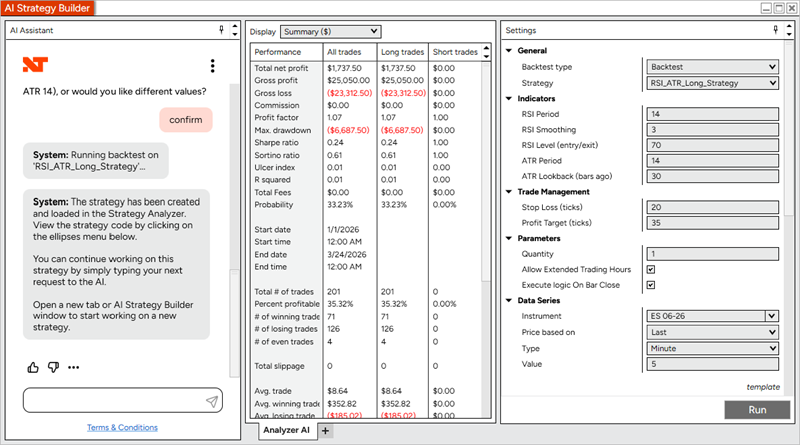
Built directly into NinjaTrader Desktop, this feature reduces the gap between concept and execution, helping you move from idea to testable strategy faster than ever.
Note: The AI Strategy Builder is currently available in English only.
Beta Rollout: The AI Strategy Builder is being released through a phased beta rollout. Additional functionality and refinements are planned before a broader production release in a future NinjaTrader version.
•Describe your entries, exits, and risk logic
•The system generates and compiles the strategy automatically
•A backtest runs instantly inside the same window
•Continue refining through an ongoing conversation
Unlike external AI tools, everything happens inside your existing NinjaTrader workflow. No copy / pasting. No switching tools.
AI Strategy Builder is designed to:
•Reduce development time from hours to minutes
•Lower the barrier to entry for strategy creation
•Accelerate iteration for experienced users
•Keep everything fully integrated within NinjaTrader
It expands who can build strategies and how quickly they can improve them.
Unsupported Indicators or External Resources
If a generated strategy references an indicator, library, or external data resource that is not currently available within NinjaTrader, the system will insert a placeholder into the generated code where the unsupported reference is required.
This allows you to manually add or connect the necessary code, indicator, or resource at a later time.
Usage Limits
The AI Strategy Builder includes hourly and daily token usage limits.
If a usage limit is reached, additional requests will be temporarily unavailable until the limit resets. If this occurs, wait and try again later.
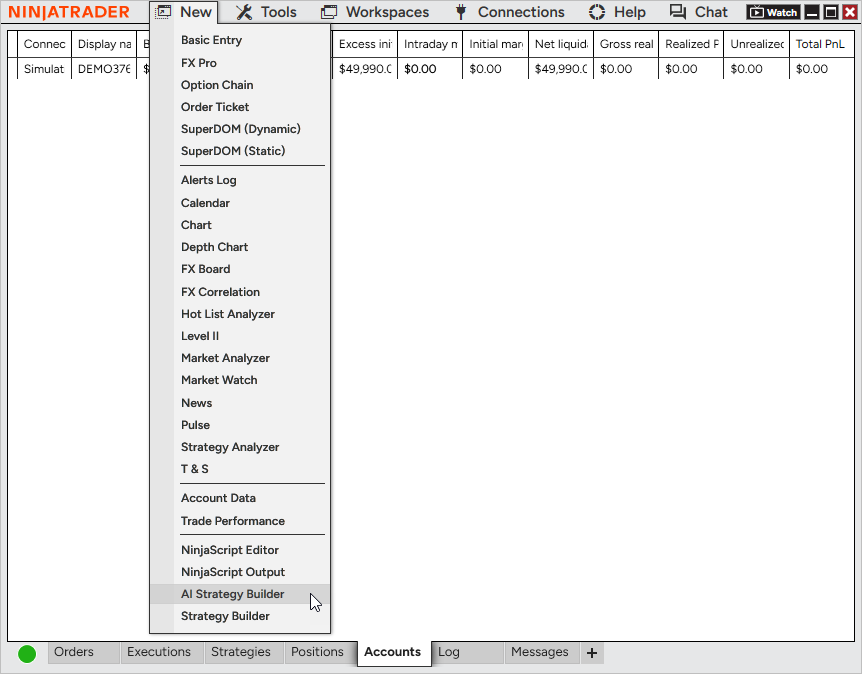
1.Open Control Center
2.Select New > AI Strategy Builder
3.The AI Strategy Builder window will open, combining:
•AI Assistant (chat interface)
•Strategy Analyzer (backtesting and results)
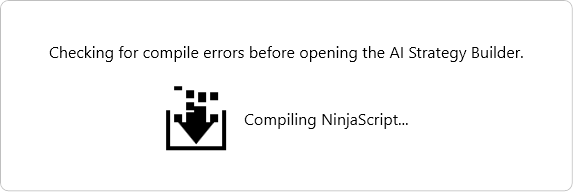
When opening AI Strategy Builder, NinjaTrader will automatically run a compile check on your NinjaScript environment.
•If compile errors are detected, they must be resolved before generating a strategy
•This ensures generated strategies can compile and run successfully
How to Troubleshoot Compile Errors
Enter your idea in plain English:
“Go long when the 20 EMA crosses above the 50 EMA and RSI is below 30. Exit when RSI crosses above 50 or after 10 bars. Include a 20-tick profit target and 40-tick stop loss, 1 contract at a time.”
The AI:
•Interprets your logic
•Generates NinjaScript
•Compiles the strategy automatically
If compilation succeeds:
•A backtest runs automatically within the window
•Results appear in the Strategy Analyzer panel
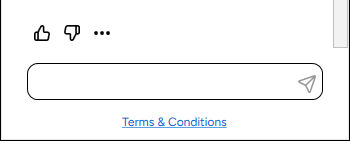
Select the ellipsis to review the annotated script.
Provide quick feedback with thumbs up & thumbs down.
For the backtest, you can:
•Modify strategy parameters
•Adjust backtest settings
•Run additional backtests instantly
Continue the same chat session to:
•Update conditions
•Add filters
•Adjust stops/targets
The system regenerates and retests; there's no need to start over.
•Rapid strategy prototyping
•Learning NinjaScript structure
•Iterating on trading ideas quickly
•Testing variations of existing strategies
Prompting Tips
•Be explicit with entry and exit conditions
•Specify the default order quantity to use
•Define indicators and parameters clearly
•Include risk management (stop loss, profit target)
•Avoid vague terms like “strong trend”
•Always review code and validate results before live trading
•Complex strategies may require multiple iterations
•Indicator support may vary
Your feedback plays a critical role in improving the AI Strategy Builder experience before full production release.
We encourage you to provide feedback on:
•Strategy generation quality
•Backtest accuracy
•Missing functionality
•Unsupported use cases
•Performance or usability issues
•Incorrect or unexpected results
When reporting issues, include:
•Your Username
•Date and time (including time zone) of the prompt
•Details around your prompt and what was generated
•What you expected vs. what occurred
As a beta feature, behavior and outputs may continue to evolve between releases.
Report bugs / feedback to: [email protected]