|
<< Click to Display Table of Contents >> Economics Properties |


|
Economics Properties
|
<< Click to Display Table of Contents >> Economics Properties |
|
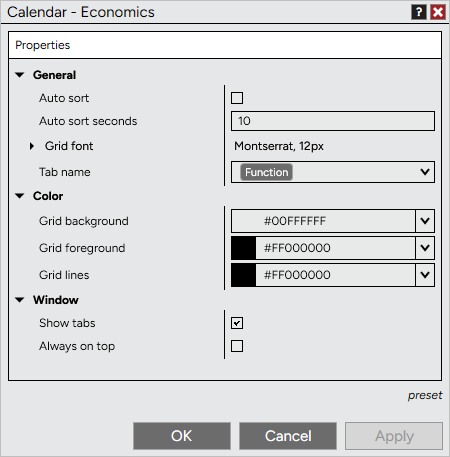
The Economics tab can be customized to your preferences in the Economics Properties window.
 How to access the Economics properties window
To access the Economics Properties window, press down on your right mouse button inside the Economics tab and select the menu Properties... |
Available properties and definitions
The following properties are available for configuration within the Economics Properties window
Property Definitions
|
How to preset property defaults
Once you have your properties set to your preference, you can left mouse click on the "preset" text located in the bottom right of the properties dialog. Selecting the option "save" will save these settings as the default settings used every time you open a new window/tab.
If you change your settings and later wish to go back to the original settings, you can left mouse click on the "preset" text and select the option to "restore" to return to the original settings. |