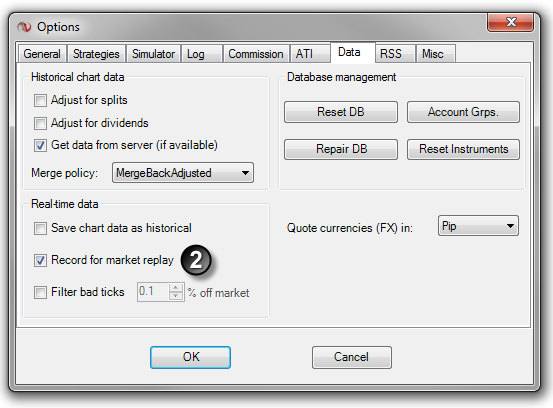
Left mouse click on the Tools menu and select the menu item Options.
2.
Left mouse click on the Data tab and select Record for market replay
All live data from instruments that are active in any NinjaTrader window will now be recorded for replay. (See the "How to record live market data" section below)
Once Record for market replay is enabled (see the "How to enable the Market Replay recorder" section above for how to enable), data is recorded for any instrument in any NinjaTrader window that is receiving live market data. Level II (market depth) data is only recorded if a Level II, SuperDOM, or FX Pro window is open and receiving data for the instrument. The Market Analyzer window is the recommended recording window as multiple instruments can be added to one Market Analyzer window and all recorded at the same time.