|
<< Click to Display Table of Contents >> Using Time & Sales Quotes |


|
Using Time & Sales Quotes
|
<< Click to Display Table of Contents >> Using Time & Sales Quotes |
|
The NinjaTrader Time & Sales has the ability to add additional quotes for further analysis for real-time market prices.
 Understanding the Quotes window
The Quotes window is used to add, remove and edit quotes within a Time & Sales
Accessing the Quotes WindowRight mouse click on the Time & Sales window and select the menu Quotes
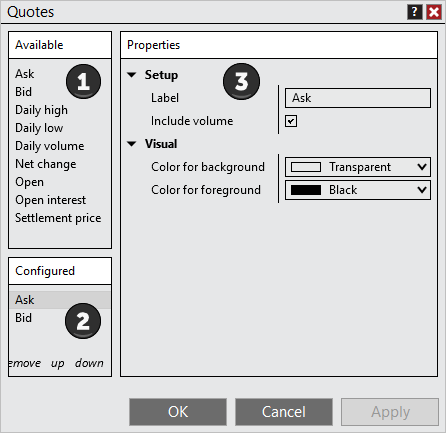
Sections of the Quotes WindowThe image below displays the three sections of the Quotes window: 1.List of Available quotes 2.Current quotes Configured on the Time & Sales 3.Selected columns Properties
|
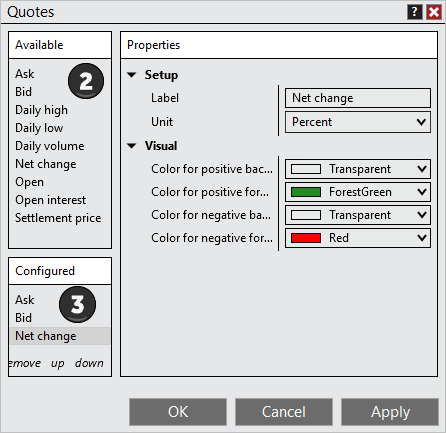
Adding a QuoteTo add an Quote to a Time & Sales: 1. Open the Quotes window (see the "Understanding the Quotes window" section above) 2. Left mouse click on the Available quote you want to add and press the Add button or simply double click on it 3. The quote will now be visible in the list of Configured quotes 4. The quote's parameters will now be editable on the right side of the quotes window
|
Removing a QuoteTo remove a quote from your NinjaTrader Time & Sales:
•Open the Quotes window (see the "Understanding the Quotes window" section above), select a quote from the Configured columns list, press the Remove button, and then press the OK button to exit the Quotes window. |