|
<< Click to Display Table of Contents >> Display Overview |


|
Display Overview
|
<< Click to Display Table of Contents >> Display Overview |
|
To open the Options Chain Window, select the New menu from the NinjaTrader Control Center. Then left mouse click on the menu item Options Chain.
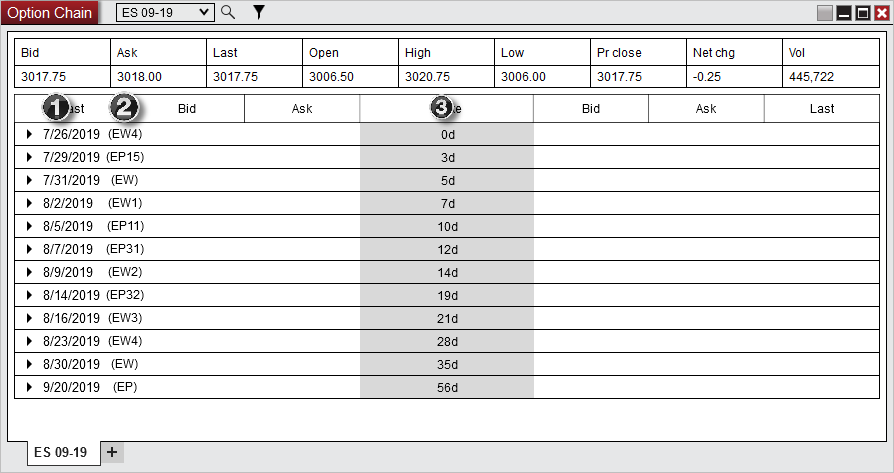
The image below shows the three sections in the of the Options Chain window:
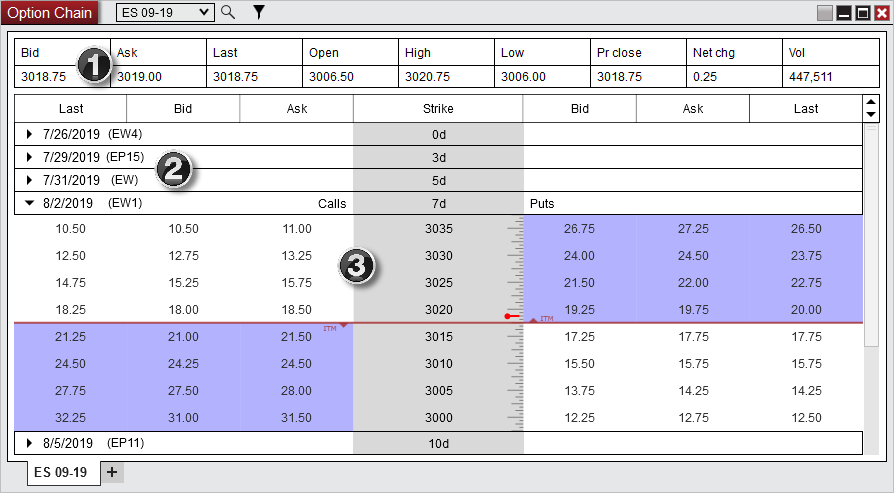
1) Quotes grid
2) Ticker list
3) Options quotes
 Understanding the quotes grid section
Quotes GridThe Quotes Grid displays current day quotes for the underlying security of the Options Chart window.
Column Definitions
|
Understanding the ticker list section
Ticker ListThe Ticker List displays the active options tickers for the selected underlying security in the Options Chain window.
1) Expiration date 2) Ticker name 3) Days until expiration
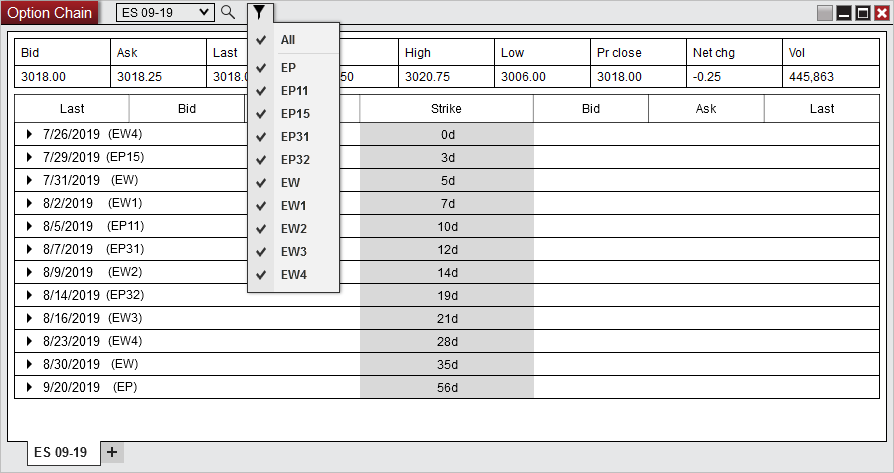
Filtering Options ContractsWith the filter button at the top of the window you can check or uncheck what tickers you want the Options Chain window to display.
|
Understanding the options quotes grid section
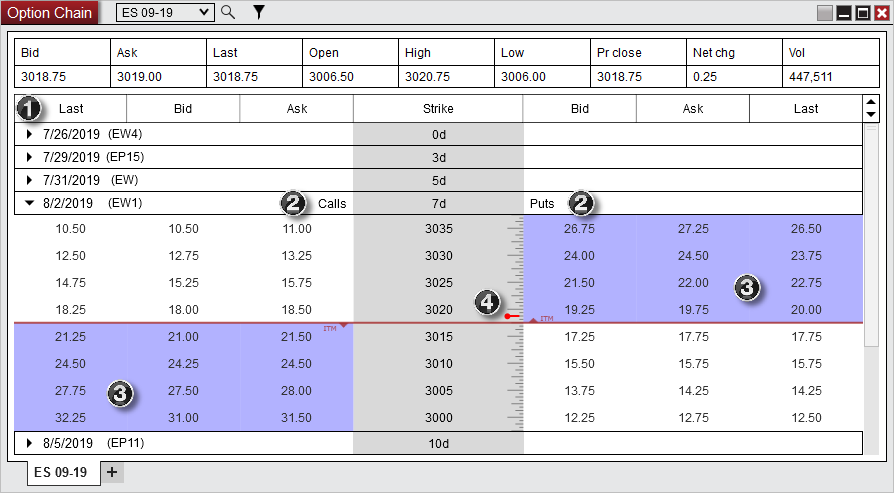
Options QuotesThe Options Quotes displays calls and puts quotes for each strike price of the expanded options ticker in the Options Chain window.
1) Columns display - the last, bid, ask, and strike columns (additional columns can be added in the Properties) 2) Calls & Puts quotes - call quotes are on the left and put quotes are on the right 3) In The Money (ITM) options - indicated by the shaded area the ITM triangle is pointing towards on the calls and puts section 4) Last price for the underlying security - indicated by the marker on top of the strike prices
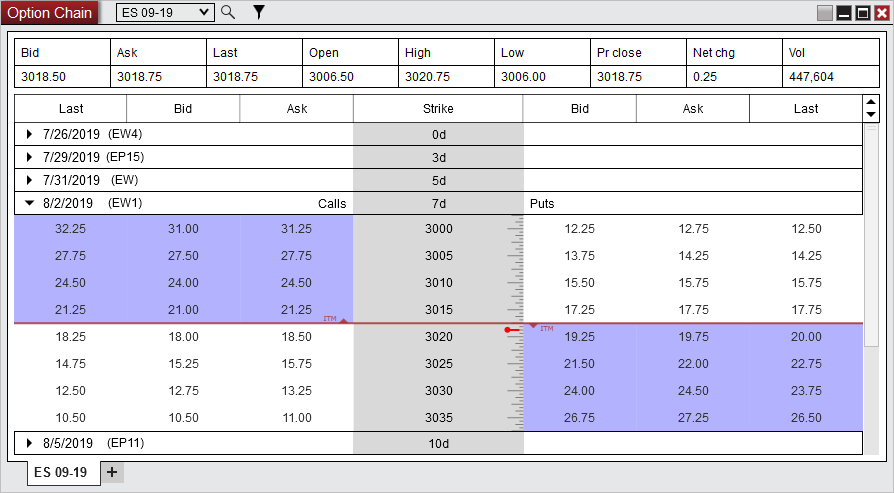
Changing Sort Direction of Strike PricesClicking on the Strike column header will change the sort direction of the strike prices. This can also be adjusted in the Properties.
|