|
<< Click to Display Table of Contents >> Modifying and Cancelling Orders |


|
Modifying and Cancelling Orders
|
<< Click to Display Table of Contents >> Modifying and Cancelling Orders |
|
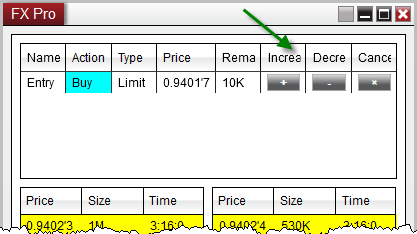
You can modify an existing order's quantity, price, or cancel an order entirely from Order Grid display of the FX Pro window.
Changing the Price of an Order1.You can increase the price of an order in tenth-pip increments by right mouse clicking on the order in the order grid and selecting "Increase Price". 2.You can decrease the price of an order in tenth-pip increments by right mouse clicking on the order in the Order Grid and selecting "Decrease Price". 3. Double clicking on the Price field will enable the price editor which will allow you to type in a new price manually, or use the scroll wheel on your mouse to select a relative price.Tip:
|
Tip: Holding down the CTRL key and scrolling will change the FX order size by 100K (100,000) |
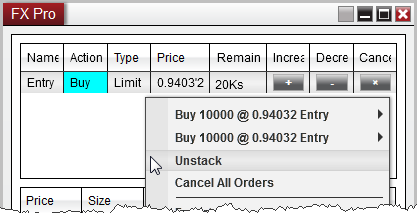
Cancelling an Individual Order1. You can cancel an order by left mouse clicking on the "X" button. 2. You can also right click on the order itself and press the "Cancel Order" menu item
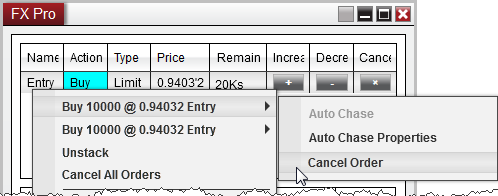
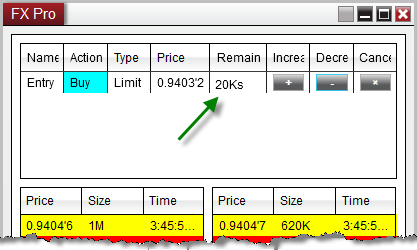
Cancelling Stacked OrdersIf you have stacked orders, indicated by the small letter "s" in the Remaining column, you can cancel one of the orders, and leave the other remaining using the steps below:
1. Right click on the stacked order row 2. Move your mouse over the order individual order 3. Select "Cancel Order"
|