|
<< Click to Display Table of Contents >> Using the Economics Tab |


|
Using the Economics Tab
|
<< Click to Display Table of Contents >> Using the Economics Tab |
|
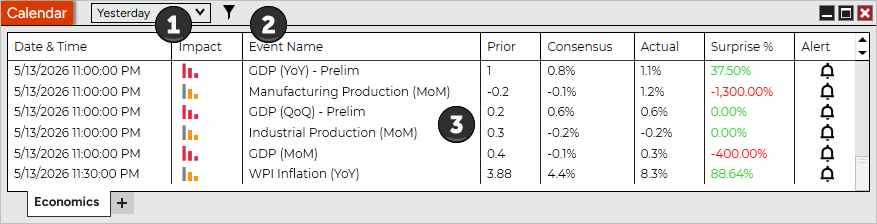
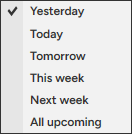
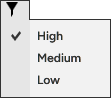
 Understanding the layout of the Economics tab
|
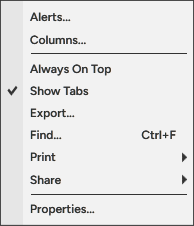
Alerts... |
Right clicking on an event and selecting Alert... will bring up the configuration window to set up an alert of the event |
Columns... |
Opens the Columns window to configure the desired columns |
Always On Top |
Sets if the window should be always on top of other windows |
Show Tabs |
Sets if the window will allow for tab support |
Export... |
Exports the Economics contents to "CSV" or "Excel" file format |
Find... |
Search for a term in the Economics calendar |
Displays Print options |
|
Share |
Displays Share options |
Properties... |
Sets the Economics Properties |
The Calendar window is a tabbed interface, this gives you the ability to have multiple Economics tabs configured in the same window. Please see the Using Tabs section of the help guide for more information. |