
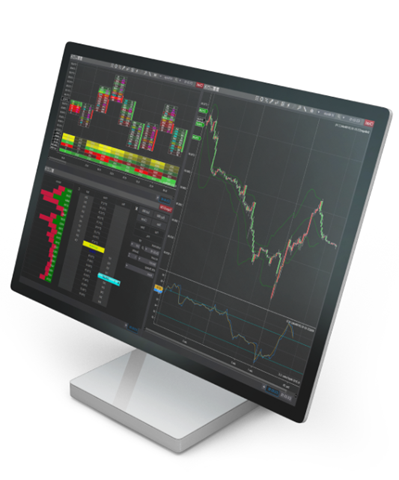
NinjaTrader Desktop Platform
NinjaTrader Desktop is an intuitive futures trading platform built for active traders who demand precision, speed, and full control of their workflow. Available to EU traders through NinjaTrader, the platform is always free to use for advanced charting, backtesting, and simulated trading—with a seamless path to going live when you're ready.
NinjaTrader Desktop is a futures trading platform available to EU traders in Germany, offering advanced charting with 100+ technical indicators, the SuperDOM depth-of-market order entry tool, ATM automation strategies, and a customisable multi-monitor workspace—regulated through PEDSL-CY under CySEC licence 342/17.
Why choose the NinjaTrader Desktop platform for futures trading in Europe
NinjaTrader Desktop gives you professional-grade futures trading tools in a platform that's free to explore from day one. Whether you're evaluating your first futures platform or looking for deeper functionality than your current setup offers, NinjaTrader Desktop is built to meet you where you are—with a full simulation environment to develop your approach before you commit any capital. Unlike contracts for difference (CFDs) and Turbo-certificate platforms, futures markets offer standardised contracts, transparent pricing, and deep liquidity on regulated exchanges such as CME Group and Eurex.
NinjaTrader EU is operated by PEDSL-CY, authorised and regulated by the Cyprus Securities and Exchange Commission (CySEC) under licence 342/17, and operates in accordance with MiFID II. You can compare futures with forex and CFDs or see how futures differ from stocks to understand what makes the futures markets an attractive choice for active EU traders.
Control Center and workspaces
Every NinjaTrader Desktop session begins in the Control Center—your launch pad for all platform windows, connections, and account functions. From there, you build and save custom workspaces that arrange charts, order entry tools, and market data exactly how you want them, including across multiple monitors.
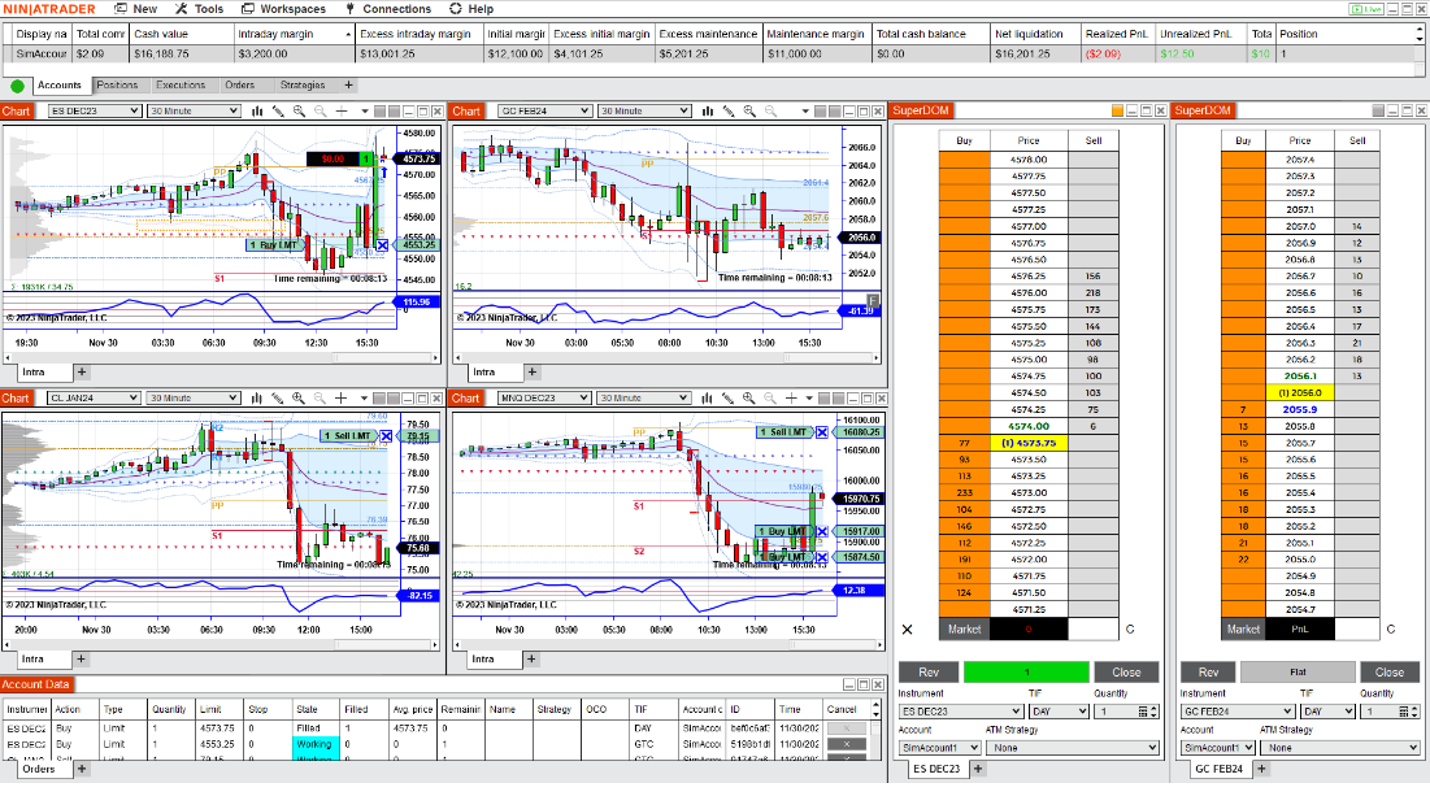
NinjaTrader Control Center
The NinjaTrader Control Center is the central hub for launching platform tools, managing data connections, and accessing account functions—all from a single, organised interface.
NinjaTrader Workspaces
NinjaTrader workspaces let you save, switch between, and restore fully customised multi-window layouts so your preferred chart and tool arrangement is always one click away.
Together, the NinjaTrader Control Center and workspaces give you a structured, reproducible foundation for every trading session.
Charting, analysis, and market monitoring
NinjaTrader Desktop's charting engine supports over 100 built-in technical indicators, multiple chart types, and a full suite of drawing tools—giving EU traders the analytical depth needed to work the futures markets with confidence.
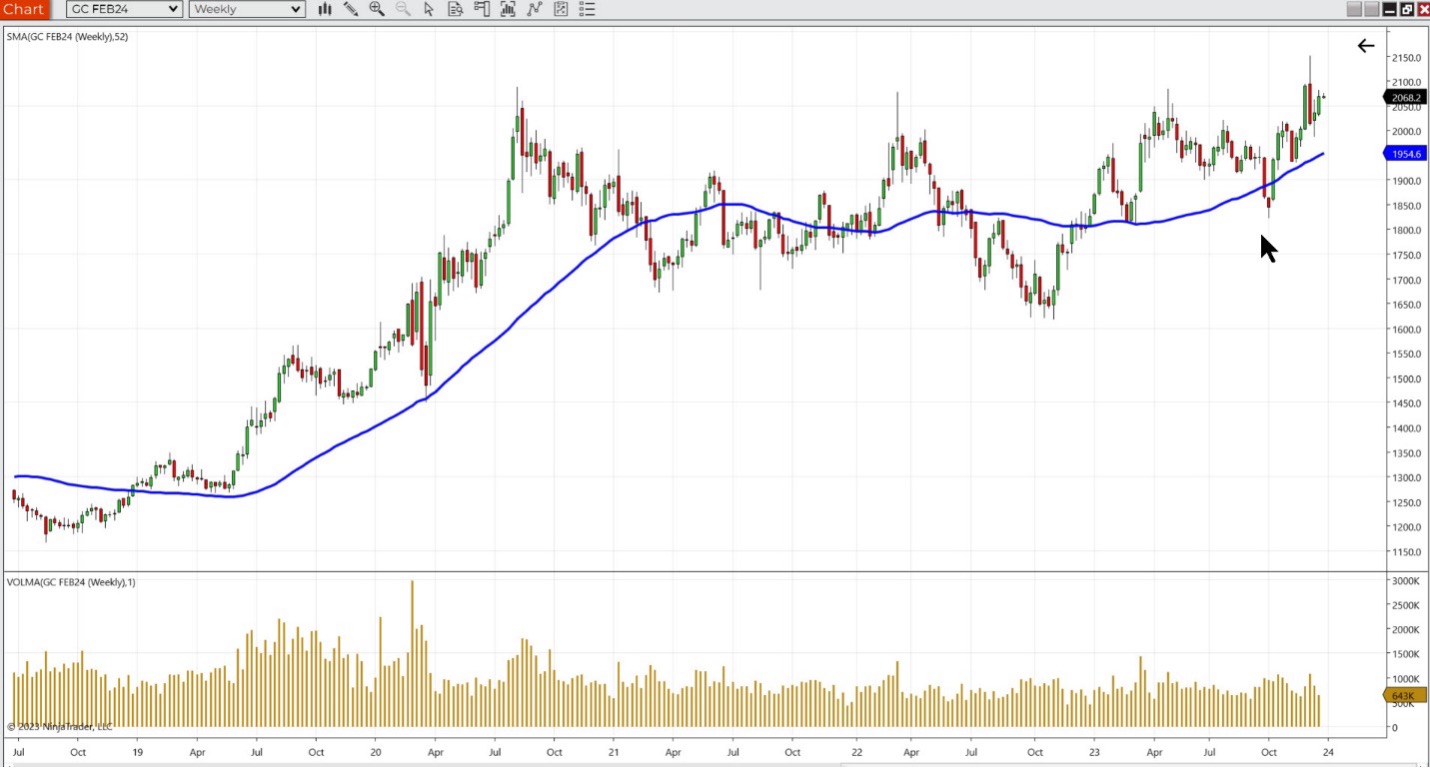
German futures traders using NinjaTrader Desktop can analyse and trade DAX Index futures (FDAX), Micro-DAX (FDXS), Euro Stoxx 50 (FESX), Euro-Bund (FGBL), and major US index futures including the E-mini S&P 500 and Micro E-mini Nasdaq—all within the same platform workspace.
NinjaTrader Charting
NinjaTrader charting gives you access to 100+ technical indicators, multi-timeframe analysis, and a highly customisable chart environment built for fast, precise decision-making.
NinjaTrader Market Analyzer
The NinjaTrader Market Analyzer is a customisable watchlist and scanning tool that displays real-time and historical data across multiple instruments simultaneously.
NinjaTrader's charting and Market Analyzer tools give traders a complete, real-time view of the futures markets they follow most.
Order entry and trade execution
NinjaTrader Desktop offers two complementary order entry tools: the Chart Trader for executing directly on your charts, and the SuperDOM for full depth-of-market visibility and fast ticket-based order entry. Use one or both, depending on your trading style.
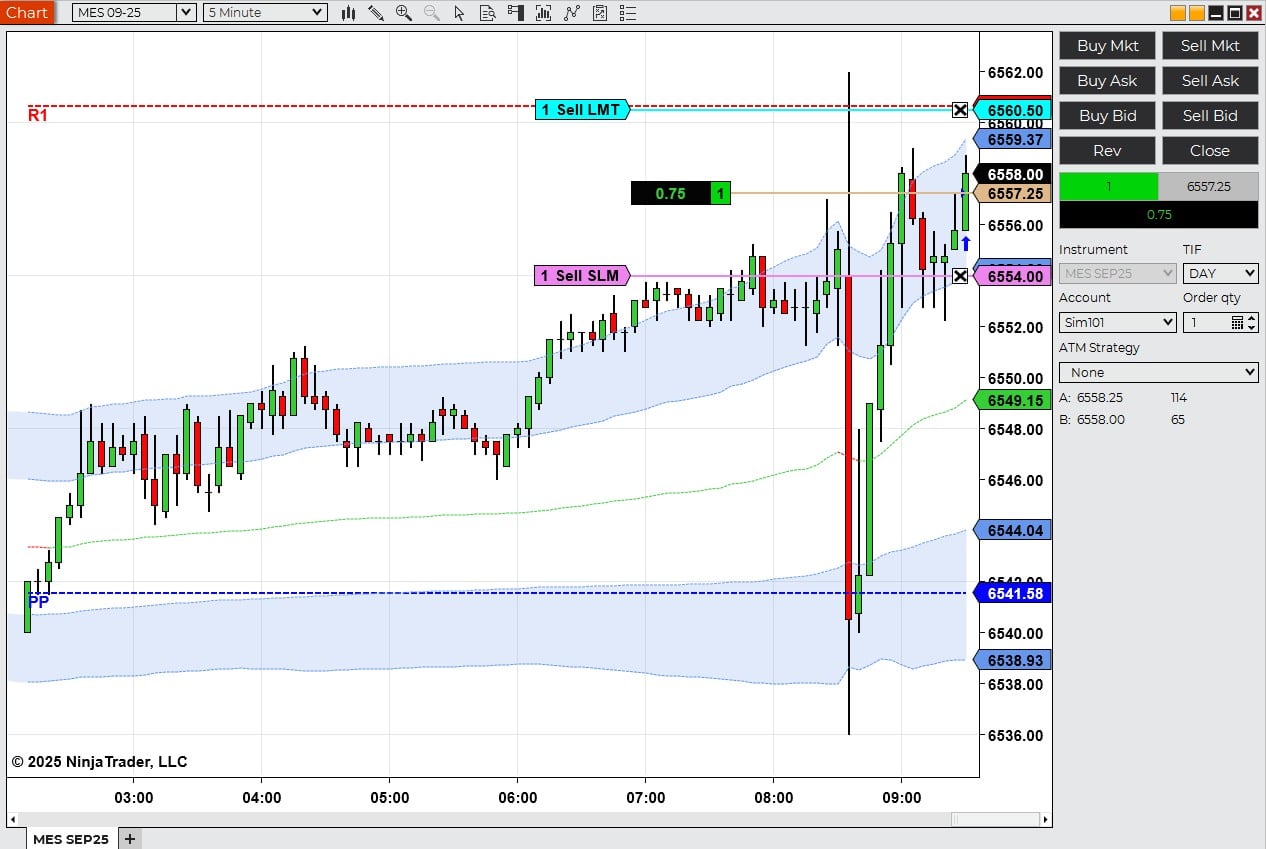
NinjaTrader Chart Trader
NinjaTrader Chart Trader lets you place, modify, and cancel orders directly on your price chart by dragging order lines—keeping your entry and exit workflow inside the chart you're already watching.
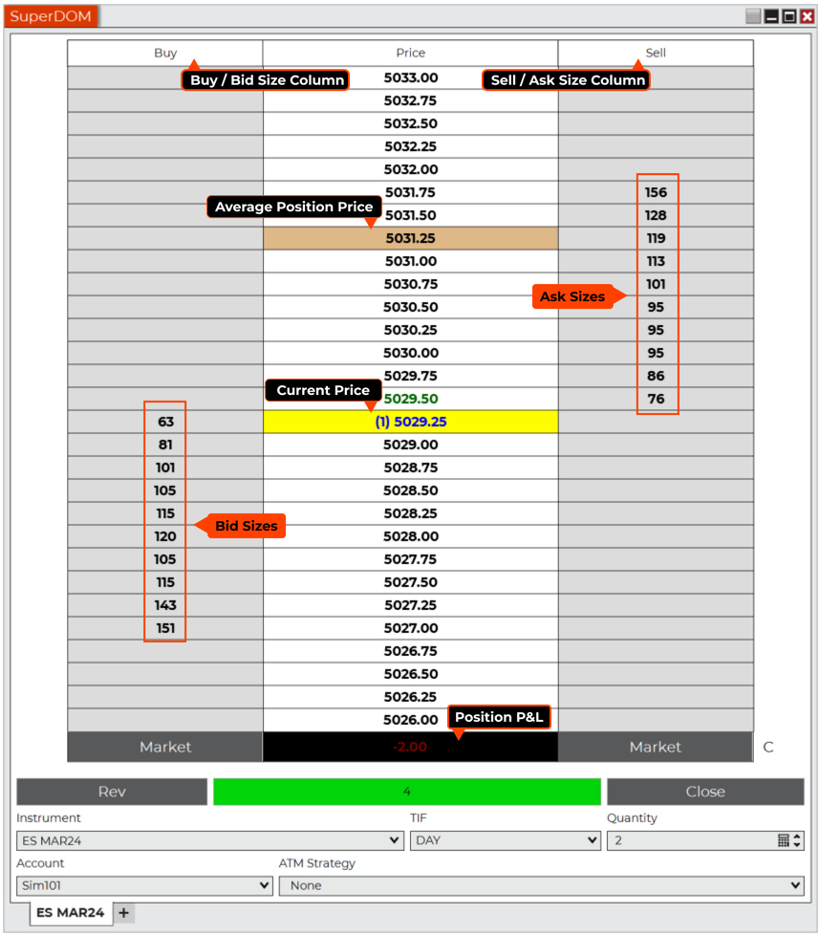
NinjaTrader SuperDOM
The NinjaTrader SuperDOM (depth of market) displays full bid/ask depth alongside a one-click order entry ticket, giving active traders a clear view of order book liquidity and fast execution capability.
Whether you prefer chart-based execution or order book entry, NinjaTrader Desktop can accommodate your preferred workflow.
Trade management and automation
Managing open positions in fast-moving futures markets requires a structured approach. NinjaTrader Desktop's ATM (automated trade management) strategies and chart alerts give traders the tools to define their risk parameters in advance and execute a consistent plan—without manually monitoring every tick.
NinjaTrader's ATM (automated trade management) strategies automatically submit stop-loss, take-profit, and trailing stop orders the moment a position is entered—giving EU traders a structured approach to risk management from the moment of entry.
NinjaTrader ATM Strategies
NinjaTrader ATM strategies automatically submit stop-loss, take-profit, and trailing stop orders the instant a position opens, so your risk management parameters are active from the moment of entry.
NinjaTrader Chart Alerts
NinjaTrader chart alerts trigger automated notifications or actions when user-defined price, indicator, or drawing conditions are met on any chart.
NinjaTrader's ATM strategies and chart alerts work together to help you manage risk and execute your plan consistently, regardless of market conditions.
Practice with Market Replay before you go live
NinjaTrader Desktop is always free to use for simulation, and Market Replay takes that further by letting you practise on real historical market data at your own pace. Whether you're learning how to trade futures for the first time or refining an existing strategy, Market Replay gives you a risk-free environment to help you build confidence before committing capital.
NinjaTrader Desktop is always free to use for advanced charting, backtesting, and simulated trading. EU traders can open an account, explore the platform risk-free in a full simulation environment, and go live when ready—with no account minimum required.
The NinjaTrader Market Replay Playback Connection lets traders replay historical tick-by-tick market data at up to 1,000 times real-time speed across all platform windows—including during European session hours covering the DAX and Euro Stoxx 50 active windows.
NinjaTrader Market Replay
The NinjaTrader Market Replay Playback Connection replays historical tick-by-tick market data through all platform windows—including charts, Market Analyzer, and order entry tools—so you can practise in a fully realistic environment.
Market Replay is one of the most powerful preparation tools available to futures traders, and on NinjaTrader Desktop it's included as part of the always-free platform.
Ready to explore NinjaTrader Desktop?
Open a free EU account and start trading futures in simulation today—no account minimum required.
Open an EU account →FAQs about the NinjaTrader Desktop platform
Is the NinjaTrader Desktop platform available in Germany?
Yes. NinjaTrader Desktop is fully available to traders based in Germany and across the EU. NinjaTrader EU is operated by PEDSL-CY, authorised and regulated by CySEC (licence 342/17) under MiFID II. You can open a free EU account and explore the platform in a free simulation environment at any time.
Can I trade DAX futures with NinjaTrader Desktop?
Yes. NinjaTrader Desktop supports DAX Index Futures (FDAX), Micro-DAX (FDXS), Euro Stoxx 50 (FESX), Euro-Bund (FGBL), and a wide range of US and global futures contracts including the E-mini S&P 500 (ES) and Micro E-mini Nasdaq (MNQ). All are accessible within the same platform workspace.
Is NinjaTrader Desktop free to use?
NinjaTrader Desktop is always free for advanced charting, backtesting, and simulated trading—with no time limit and no account minimum. When you're ready to trade live, you can review NinjaTrader EU pricing or contact EU support for guidance.
What is the Control Center in NinjaTrader?
The NinjaTrader Control Center is the main navigation hub of NinjaTrader Desktop. It's the window from which you launch charts, order entry tools, and market scanners; manage your data connections; and access account settings. Everything starts from the Control Center.
What is the difference between Chart Trader and SuperDOM?
Both tools are used to enter and manage orders in NinjaTrader Desktop, but they work differently. NinjaTrader Chart Trader lets you interact with orders directly on your price chart by dragging order lines—keeping execution inside your charting view. The NinjaTrader SuperDOM presents a full depth-of-market (Level 2) display with a side-by-side order ticket, suited to traders who want to see order book depth before entering a position. You can use both simultaneously, each connected to the same position and account data.
How do I get started with NinjaTrader Desktop in the EU?
Open a free EU account, download NinjaTrader Desktop, and connect in simulation mode to start exploring the platform immediately. Our how to trade futures guide is a good starting point if you're new to the futures markets. When you're ready to go live, there's no account minimum required.