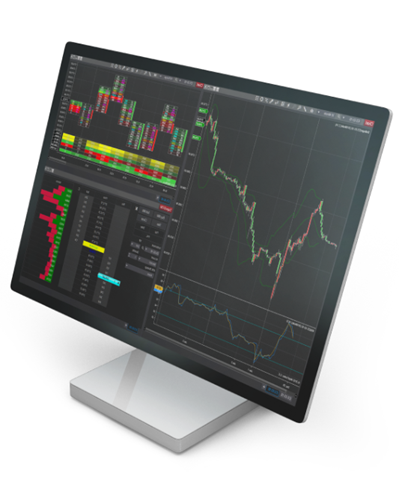
NinjaTrader Desktop Platform
Built for active futures traders who want depth, flexibility, and performance, the NinjaTrader Desktop platform delivers a professional-grade trading experience on Windows. From advanced charting and strategy tools to precision order execution, this is where traders go to analyze markets, refine ideas, and trade their plan—on their terms.
Whether you’re scaling up your analysis or fine-tuning your execution, NinjaTrader’s desktop trading software gives you the control and customization to match your workflow.
Why trade with the NinjaTrader Desktop platform?
The NinjaTrader Desktop platform is designed to support serious futures traders with tools that adapt to different styles, experience levels, and strategies. It combines powerful technology with an intuitive interface, so you can focus on what matters most: your trading decisions.
With deep functionality and a proven track record, NinjaTrader’s futures trading platform continues to be a go-to choice for traders who want more than basic charts and order tickets. It’s a platform that can grow with you as your trading evolves.
In short, it’s built to meet the demands of modern futures trading without getting in your way.

Designed for active futures traders
Trade with tools built to keep up with fast-moving futures markets. Access real-time data, responsive performance, and advanced trade management built for active decision-making.
Whether you trade intraday, swing futures, or longer-term setups, the platform supports both discretionary and systematic approaches—so you can stay focused, react quickly, and trade your plan with confidence.

Charting, analysis, and strategy tools
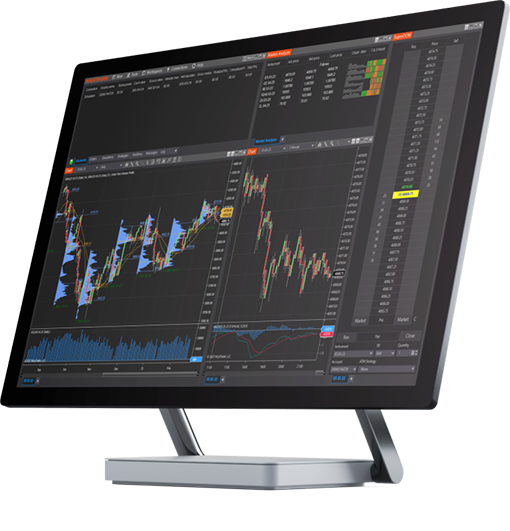
See the markets your way with advanced charting built for active futures traders. Customize charts, apply popular indicators, and analyze price action across multiple instruments and timeframes—all from one workspace.
Looking to go deeper? Use historical data to review ideas, test scenarios, and refine your approach. For traders exploring automation, built-in strategy tools support backtesting and ongoing analysis as your trading evolves.

Order entry and execution features
Trade with confidence using advanced order tools designed for fast-moving futures markets. Manage entries, exits, and risk with precision so you can focus on timing and execution.
From one cancels the other (OCO) orders to advanced order types and SuperDOM market depth, the platform gives you flexible ways to manage trades—whether you prefer simple clicks or more hands-on control.

Customizable workspaces and multi-monitor support
Set up your platform the way you trade. Organize charts, order windows, and tools across one or multiple monitors with customizable workspaces.
Save layouts for different markets or strategies and switch between them as your trading day changes. Keep key information in view with a personalized workspace, so you can stay focused as market conditions shift.
Getting started: Download and install
Getting started with the NinjaTrader Desktop platform is straightforward. After creating your NinjaTrader account, you can download the platform and begin exploring its features right away.
New users can:
- Access unlimited simulated trading to practice risk-free.
- Explore platform tools before going live.
- Connect to live futures markets when ready.
It’s an easy way to familiarize yourself with the platform and build confidence before placing live trades.

Compatibility and system requirements
- The NinjaTrader Desktop platform is built for Windows-based systems. Must-haves include a stable internet connection and sufficient system resources to support real-time data, charting, and analysis tools.
- For optimal performance, review your current system requirements before installing the platform. This helps ensure a smooth experience, especially when running multiple charts or monitors.
With a quick setup and the right system in place, you can get up and running on NinjaTrader Desktop and start exploring the platform at your own pace.
By combining advanced functionality with flexibility and control, the NinjaTrader Desktop platform supports traders looking for a robust futures trading experience on Windows.